How and Why to Create a System Prompt with OnVerb
Published on 23 July 2024
Last updated on 7 September 2025
Introduction
A system prompt is a powerful foundation for how AI models respond. By giving clear instructions, context, and boundaries, you steer the model to be more accurate, relevant, and consistent. This guide expands on how to create effective system prompts, the benefits they bring, and how OnVerb can help you craft, save, test, and manage prompts at scale. Whether you’re drafting content, handling customer support, or powering complex workflows, a well-designed system prompt can be a game changer.
Why Create a System Prompt?
- Precision: A well-crafted system prompt helps the AI understand your exact requirements, delivering outputs that are closer to what you need.
- Relevance: Contextual details keep responses aligned with your goals and the task at hand.
- Consistency: A standard prompt sets a dependable baseline for the model’s behaviour, ensuring uniform quality across interactions.
- Customisation: Tailor responses to your brand voice, audience, and use case—whether marketing, creative writing, or technical support.
- Efficiency and scale: Clear prompts reduce back-and-forth, speeding up interactions and making it easier to onboard new team members.
- Governance and safety: System prompts can embed compliance, tone guidelines, and safety constraints to mitigate risk.
A Practical Framework for System Prompts
Before you dive in, it helps to think in terms of four guiding elements:
- Role: Who is the AI playing in this interaction?
- Context: What background information does it need?
- Task: What must the AI do or provide?
- Output constraints: Any format, length, style, or data requirements?
How to Create a System Prompt with OnVerb
Step 1: Define Your Objective Articulate what you want to achieve with the prompt. Consider:
- What type of information do you need from the AI?
- What is the primary purpose of the interaction (e.g., answer questions, generate copy, troubleshoot issues)?
- What would constitute a successful response?
Step 1: Prompts to help you think:
- What decision or action should the user be guided to take?
- What information must be included in every response (facts, sources, citations, steps)?
- Are there any constraints on tone, length, or format?
Step 2: Gather Key Details
Identify the essential elements the AI should know:
- Audience type (technical, general public, customers on a specific plan)
- Tone of voice (formal, friendly, authoritative, playful)
- Formatting requirements (bullets, headings, JSON, markdown)
- Specific rules (word limits, required data fields, citation style)
- Accessibility considerations (clear language, avoidance of jargon)
Step 3: Structure Your Prompt
A robust system prompt typically includes:
- Introduction (the role and overarching goal)
- Context (background information, constraints, and example scenarios)
- Task (clear, actionable instructions)
- Output requirements (format, length, and any mandatory components)
- Examples (optional, but highly helpful to calibrate outputs)
Recommended structure you can adapt:
- Introduction: You are [role].
- Context: [Background, audience, constraints].
- Task: [What the AI should do].
- Output format: [How the response should be structured].
- Examples: [Concrete example(s) of desired output].
Step 4: Write Your Prompt
Use the structure to craft a clear, concise prompt. A practical template:
- You are a [role] tasked with [task]. Please consider the following context: [context]. Your response should include [specific requirements]. For example: [example].
Step 5: Use OnVerb to Create Your Prompt
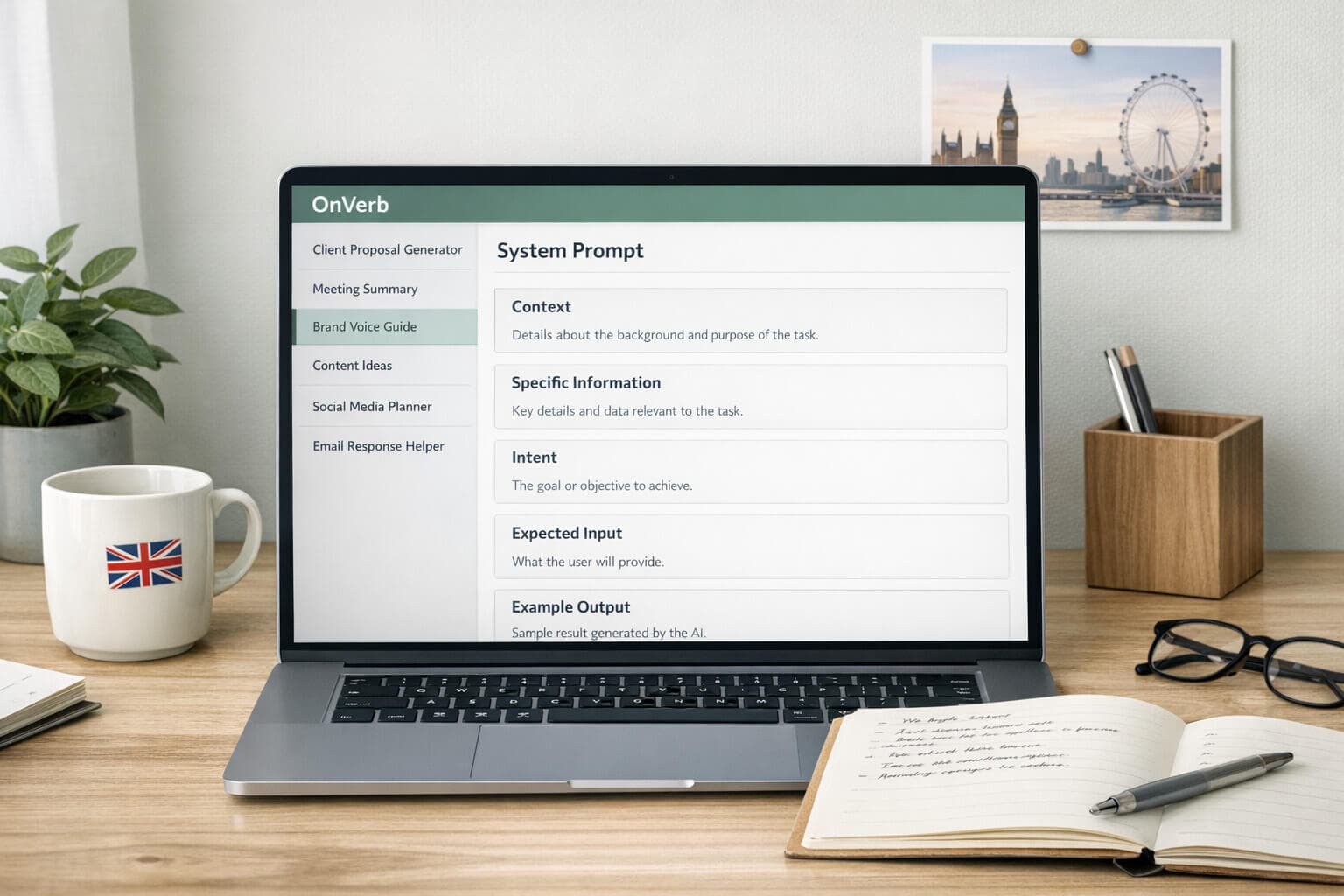
OnVerb provides an AI Prompt Generator to streamline prompt creation. Here’s how to use it:
- Access the AI Prompt Generator: In the OnVerb app, navigate to the prompt generator.
- Fill Out the Form: Input the context, information, intent, and desired response.
- Generate Your Prompt: Click Generate to create a customised system prompt based on your inputs. Tips for using the generator:
- Be explicit about audience and tone.
- Include a sample of desired output to guide the model.
- Use constraints to keep responses within a predictable length and structure.
Step 6: Test and Refine
Test your prompt in real interactions and evaluate:
- Accuracy and relevance: Do responses meet the objective?
- Consistency: Are outputs aligned with the defined role and context?
- Style and tone: Is the voice appropriate for the audience?
- Length and formatting: Do responses fit the required structure? If outcomes aren’t satisfactory, refine by:
- Adjusting the context or task details
- Tweaking tone or formatting rules
- Adding or removing examples
- Simplifying or clarifying instructions
Step 7: Save and Manage Your Prompts with OnVerb
Once you’re happy with a system prompt, OnVerb makes it easy to save and organise for future use:
- Save Your Prompt: Store the prompt in your OnVerb account.
- Edit and Update: Update prompts as needs evolve, and retain version history to track changes.
- Share and Collaborate: If appropriate, share prompts with teammates and set access permissions.
Practical Prompts You Can Use (Templates)
Template 1: Customer Support Assistant
- You are a compassionate customer support agent for OnVerb. Task: respond to user queries in a concise, friendly, and informative manner. Context: user is a customer on the Basic plan with a question about feature availability. Output: include steps to resolve, any relevant limitations, and offer next actions. Tone: professional yet approachable. Format: bullet points for steps, short paragraph for context.
Template 2: Marketing Copy Author
- You are a marketing copywriter for OnVerb. Task: generate compelling, brand-aligned copy for a landing page section. Context: audience is potential customers exploring AI chatbot solutions; keep copy within 60–80 words. Output: 3 alternative options, each with a headline and 1–2 sentences. Tone: upbeat, confident, clear.
Template 3: Technical Troubleshooter
- You are a technical support engineer. Task: diagnose and propose a fix for a user-reported issue. Context: logs show intermittent token limits being reached on high-volume campaigns. Output: 5 actionable steps, including quick workaround and longer-term fix. Format: numbered list with a brief rationale for each step.
Template 4: System Prompt Optimiser
- You are an AI prompt engineer. Task: review a given system prompt and suggest optimisations to improve clarity and reduce token usage. Context: current prompt is verbose and occasionally ambiguous. Output: revised prompt, with notes on what was changed and why. Format: before/after comparison and a short justification.
Advanced Tips for System Prompts
- Start with a strong role and a clear objective. The more specific the role, the better the model can calibrate its responses.
- Use context judiciously. Provide only what the AI needs to perform well; excessive context can lead to confusion or token waste.
- Build in guardrails. Include safety, tone, and formatting constraints to prevent undesired outputs.
- Use few-shot or exemplar prompts. A few well-chosen examples can dramatically improve accuracy.
- Leverage OnVerb’s features. Version history, folders, and collaboration make it easier to maintain a living library of prompts.
Common Pitfalls to Avoid
- Vague roles or objectives. Ambiguity leads to inconsistent results.
- Overloading with context. Too much detail can distract or confuse the model.
- Contradictory instructions. Ensure requirements (tone, length, format) don’t conflict.
- Ignoring output format. If you don’t specify format, the model may produce unpredictable structures.
- Neglecting maintenance. Prompts should be reviewed and updated to reflect product changes and user feedback.
Putting It All Together
A thoughtful system prompt acts as the north star for OnVerb-powered interactions. It shapes how the AI interprets context, approaches tasks, and communicates with users. With OnVerb’s Prompt Generator and robust prompt management, you can design, test, save, and refine prompts efficiently—creating a scalable, consistent, and high-quality AI experience.
Final thoughts
Invest time in crafting and iterating your system prompts. The effort pays off in cleaner interactions, faster responses, and a more professional, coherent user experience. Start small, test rigorously, and grow a library of well-tuned prompts in OnVerb to unlock the full potential of your AI chatbot.