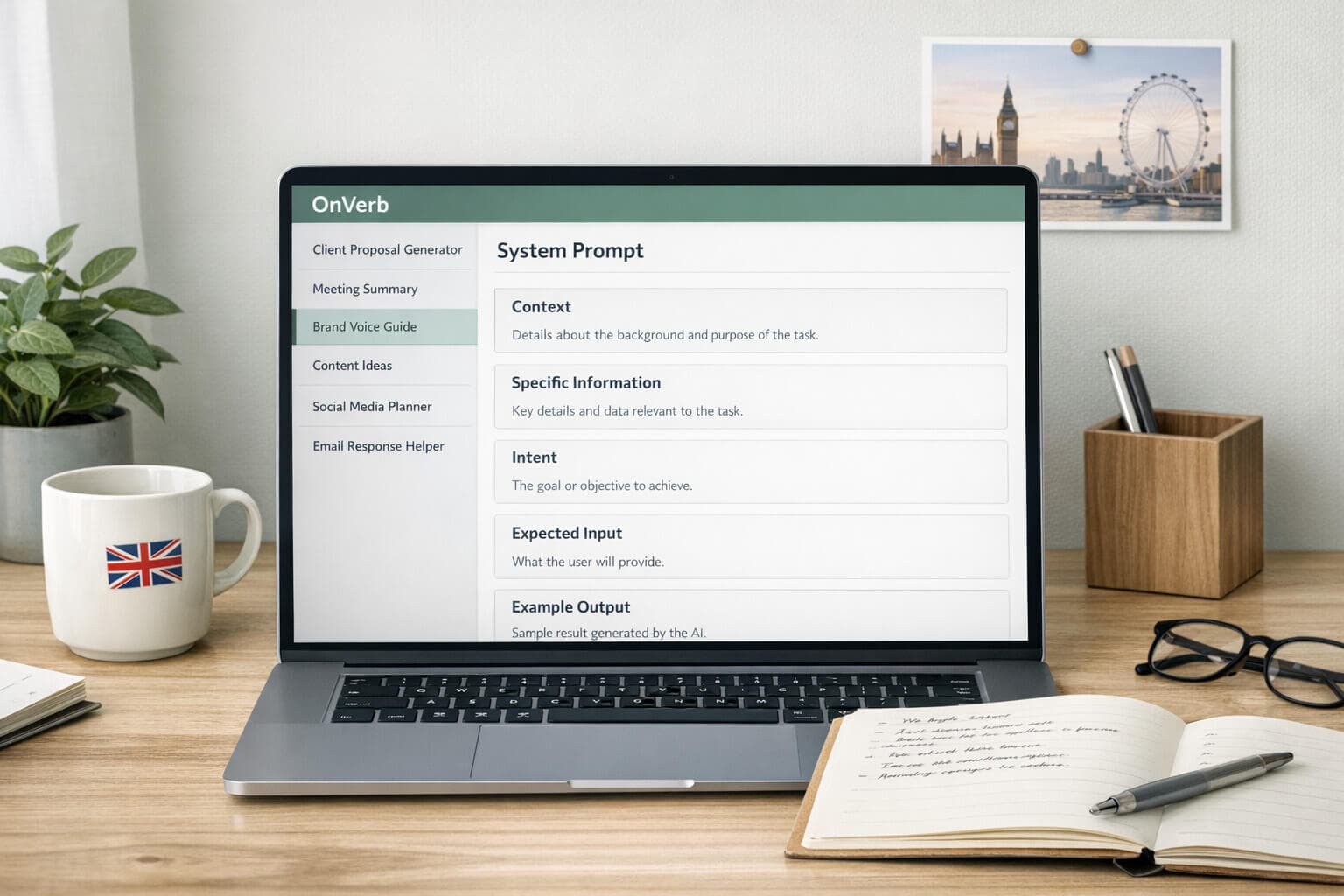
What is an AI System Prompt?
Published on 23 July 2024
Last updated on 7 September 2025
Learn how system prompts can transform your AI interactions by providing precise, relevant, and consistent responses. Discover the benefits of using OnVerb to create, manage, and deploy these prompts across multiple AI chatbots, ensuring seamless, tailored AI interactions.
What is a System Prompt?
A system prompt is a meticulously designed set of instructions, guidelines, and contextual information provided to an AI model before it interacts with user queries. Think of it as a backstage script for the AI, guiding it through the intricacies of interpreting and responding to user inputs. Much like a director instructs actors on how to perform their roles, a system prompt sets the stage for AI interactions, ensuring that the responses are coherent, relevant, and aligned with the desired outcome.
Key Components of a System Prompt
Instructions:
Instructions are the core directives that tell the AI what to do. These can range from simple commands to complex multi-step processes. They guide the AI on how to handle the input and what kind of output is expected. For example, an instruction might tell the AI to summarize a text, answer a question, or generate a story.
Guidelines:
Guidelines provide the AI with the rules and boundaries within which it should operate. These can include tone, style, format, and any specific constraints or requirements. For instance, a guideline might specify that the AI should maintain a formal tone, use professional language, or avoid certain topics.
Context:
Context is the background information that helps the AI understand the environment and circumstances surrounding the user query. This can include details about the user’s goals, the specific scenario, and any relevant data or examples. Providing context ensures that the AI’s responses are not just accurate but also situationally appropriate.
How System Prompts Work
System prompts function as a prelude to the AI’s engagement with the user. They are loaded into the AI model before any user interaction begins, setting the parameters for how the AI should behave and respond. This initial setup helps the AI to:
Understand the Task: By providing clear instructions, the system prompt defines the specific task the AI needs to perform. This helps the AI focus on the relevant aspects of the query and filter out unnecessary information.
Maintain Consistency: With detailed guidelines, the system prompt ensures that the AI’s responses are consistent in tone, style, and content. This is crucial for applications that require a uniform user experience, such as customer support or educational tools.
Adapt to the Context: Contextual information allows the AI to tailor its responses to the specific situation. This customization enhances the relevance and appropriateness of the AI’s output, making the interaction more effective and user-centric.
Examples of System Prompts
To illustrate the concept, let’s look at a few examples of system prompts across different applications:
Example 1: Virtual Assistant
Context: You are a virtual assistant named Alex. Your goal is to help users manage their daily tasks efficiently.
Instructions:
- Respond to user queries with clear and concise answers.
- Offer additional tips and suggestions for productivity.
Guidelines:
- Maintain a friendly and professional tone.
- Use bullet points for lists and steps.
Example Query:
"How can I improve my time management skills?"
Example Response:
"Here are some tips to improve your time management skills:
- Prioritize your tasks using a to-do list.
- Set specific goals and deadlines.
- Take regular breaks to avoid burnout."
Example 2: Educational Tutor
Context: You are an online educational tutor specialized in high school mathematics.
Instructions:
- Provide step-by-step explanations for solving algebra problems.
- Include examples and practice questions.
Guidelines:
- Use simple and clear language.
- Be patient and encouraging.
Example Query:
"How do I solve a quadratic equation?"
Example Response:
"To solve a quadratic equation, follow these steps:
- Arrange the equation in the form ax^2 + bx + c = 0.
- Calculate the discriminant using the formula b^2 - 4ac.
- If the discriminant is positive, the equation has two real solutions. Use the quadratic formula x = (-b ± √(b^2 - 4ac)) / 2a to find the solutions."
Example 3: Customer Support
Context:
You are a customer support agent for a software company.
Instructions:
- Address customer issues and provide solutions.
- Escalate complex issues to higher-level support if needed.
Guidelines:
- Maintain a polite and empathetic tone.
- Follow company protocols for troubleshooting.
Example Query:
"I'm having trouble installing the software. Can you help?"
Example Response:
"I'm sorry to hear that you're having trouble installing the software. Let's try the following steps to resolve the issue:
- Ensure your computer meets the system requirements.
- Download the latest version of the software from our website.
- Run the installer as an administrator. If the issue persists, please provide details about any error messages you encounter, and I will assist you further."
The Role of System Prompts in AI Interactions
System prompts play a crucial role in bridging the gap between the AI’s vast knowledge and its application in real-world scenarios. They act as a compass, guiding the AI to stay on course and generate outputs that are not only accurate but also contextually appropriate and aligned with user expectations. By carefully crafting system prompts, developers can harness the full potential of AI models, ensuring that their behavior and responses are tailored to meet specific goals and requirements.
A system prompt is much more than a simple instruction. It is a comprehensive framework that shapes the AI’s interactions, ensuring that they are coherent, relevant, and aligned with the desired outcome. Whether you’re creating a virtual assistant, a customer support agent, or an educational tutor, system prompts are the key to unlocking the true potential of AI, making interactions more efficient, effective, and user-centric.
Why Should We Use System Prompts?
Precision and Accuracy:
System prompts help narrow down the AI’s vast pool of knowledge to focus on specific tasks, domains, or contexts. This precision ensures that the AI’s responses are not only accurate but also relevant to the user’s needs.
Consistency:
By providing a structured framework, system prompts ensure that the AI maintains a consistent tone, style, and behavior throughout the interaction. This is particularly valuable for applications like customer support, where consistency in responses is crucial.
Customization:
System prompts allow developers to tailor the AI’s behavior to specific roles or tasks. Whether it’s a virtual assistant, a customer service representative, or a content generator, system prompts can customize the AI to perform optimally in its designated role.
Efficiency:
With clear instructions and context, the AI can quickly understand and respond to user queries, reducing the need for repeated clarifications. This efficiency saves time and enhances the overall user experience.
The Power of System Prompts
System prompts are a game-changer in the realm of AI interactions. Here are some ways they demonstrate their power:
Role-Playing Scenarios:
In applications where the AI needs to assume a specific persona, such as a virtual tutor or a tour guide, system prompts ensure that the AI stays true to its assigned role. This consistency builds trust and engagement with users.
Handling Complex Queries:
For tasks that involve multi-step reasoning or complex problem-solving, system prompts guide the AI through the intricacies of the task. This guidance helps the AI navigate and respond accurately to intricate queries.
Enhancing Creativity:
System prompts can encourage the AI to exhibit more creative and natural behavior by providing guidelines on language use, analogies, and storytelling techniques. This creativity is particularly valuable in applications like content generation and creative writing.
Increasing Resilience:
System prompts can bolster the AI’s resilience against attempts to break character or generate inappropriate responses. By setting clear boundaries and fallback strategies, system prompts ensure that the AI maintains its professionalism and relevance.
How to Create an Effective System Prompt
Creating an effective system prompt involves several key steps:
Define Your Objective:
Clearly outline the goal of the interaction. Are you looking for informative responses, creative content, or problem-solving assistance? Your objective will shape the structure and content of your system prompt.
Identify Key Details:
Determine the essential elements that the AI needs to know to perform the task effectively. This could include the target audience, desired tone, specific requirements, and any relevant context.
Structure Your Prompt:
A well-structured prompt typically includes the following components:
Context:
Provide background information to set the stage for the interaction. Task Instructions: Clearly state the specific actions or objectives for the AI.
Role Prompting:
Define the persona or character the AI should assume. Tone Instructions: Specify the desired tone and style of the AI’s responses.
Examples:
Include examples of desired outputs to guide the AI.
Test and Refine:
Experiment with your prompt and evaluate the AI’s responses. If the outputs are not satisfactory, refine the prompt by adding more details or adjusting the instructions.
Example of a System Prompt
Let’s create an example prompt for a virtual fitness coach:
Context:
You are a certified personal fitness coach named Sam. Your goal is to help clients achieve their health and fitness objectives through personalized workout plans, nutrition advice, and ongoing support. Task Instructions:
When interacting with clients, use a friendly and encouraging tone, and provide clear, actionable guidance based on their specific goals, fitness level, and preferences. Emphasize the importance of proper form, consistency, and listening to one's body to avoid injury.
Role Prompting:
Assume the role of a knowledgeable and supportive fitness coach. Your primary objectives are to motivate clients, answer their fitness-related questions, and provide tailored workout plans and nutritional advice.
Tone Instructions:
Maintain a friendly, encouraging, and professional tone. Use positive language and offer constructive feedback to keep clients motivated.
Examples:
Client Query:
"I want to lose weight but I’m not sure where to start."
AI Response:
"Great to hear that you're ready to start your fitness journey! Let's begin with a simple workout plan that includes both cardio and strength training. We'll also discuss some dietary changes to help you achieve your weight loss goals. Remember, consistency is key!"
Benefits of Using System Prompts vs. Not Using One
Improved Relevance:
Without a system prompt, the AI might generate generic or off-topic responses. With a well-crafted prompt, the AI’s outputs are more relevant and tailored to the user’s needs.
Enhanced User Experience:
System prompts ensure a consistent and engaging user experience by maintaining a uniform tone and style. This consistency can build trust and rapport with users.
Increased Efficiency:
With clear instructions and context, the AI can quickly understand and respond to user queries, reducing the need for repeated clarifications. This efficiency saves time and enhances the overall user experience.
Better Handling of Complex Tasks:
System prompts guide the AI through complex queries and tasks, ensuring that the responses are accurate and comprehensive. Without a prompt, the AI might struggle to handle multi-step reasoning or intricate problem-solving.
Customization and Flexibility:
System prompts allow developers to tailor the AI’s behavior to specific roles or tasks. This customization ensures that the AI performs optimally in its designated role, whether it’s a virtual assistant, customer service representative, or content generator.
Improved Creativity:
System prompts can encourage the AI to exhibit more creative and natural behavior by providing guidelines on language use, analogies, and storytelling techniques. This creativity is particularly valuable in applications like content generation and creative writing.
Enhanced Resilience:
System prompts can bolster the AI’s resilience against attempts to break character or generate inappropriate responses. By setting clear boundaries and fallback strategies, system prompts ensure that the AI maintains its professionalism and relevance.
System Prompts are powerful
System prompts are a powerful tool in the realm of AI interactions, offering numerous benefits that enhance the relevance, accuracy, and efficiency of AI-generated responses. By providing clear instructions, context, and guidelines, system prompts enable AI models to perform optimally in a wide range of applications. Whether you’re looking to create a virtual assistant, a content generator, or a customer service representative, system prompts are the key to unlocking the full potential of AI.
How OnVerb Enhances Your System Prompt Experience
Navigating the complexities of crafting, managing, and deploying system prompts can be daunting, especially when working with multiple AI chatbots. OnVerb simplifies this process, offering a seamless and intuitive platform to enhance your AI interactions. Here’s how OnVerb helps you create, manage, and use system prompts across leading AI chatbots:
Creating System Prompts
User-Friendly Interface:
With OnVerb’s intuitive interface, creating system prompts is a breeze. Whether you’re starting from scratch or leveraging existing templates, the platform guides you through each step. You can easily define context, instructions, guidelines, and examples, ensuring your prompts are comprehensive and effective.
AI-Assisted Prompt Generation:
OnVerb includes an AI Prompt Generator that helps you formulate detailed and specific system prompts. Simply describe the kind of prompt you need, and the generator provides a structured template to get you started. This feature is particularly useful for beginners or those looking to save time.
Advanced Customization:
For users who require more control, OnVerb offers advanced customization options. You can incorporate specific directives, role prompts, tone instructions, and even add custom fields or integrate documents. This level of detail ensures that your prompts are perfectly tailored to your needs.
Managing System Prompts
Centralized Repository:
OnVerb acts as a centralized repository for all your system prompts. You can store, organize, and access an unlimited number of prompts in one place. This organization makes it easy to manage and retrieve prompts as needed, enhancing efficiency and productivity.
Version Control:
Keep track of changes and improvements to your system prompts with OnVerb’s version control features. This functionality allows you to maintain a history of edits, revert to previous versions, and ensure that you always have the most effective prompts at your disposal.
Sharing and Collaboration:
OnVerb enables you to share prompts with other users, fostering collaboration and knowledge sharing. Whether you’re working with team members or seeking feedback from peers, the platform’s sharing capabilities make it easy to collaborate and refine your prompts.
Using System Prompts Across Multiple AI Chatbots
Multi-Model Support:
OnVerb supports a wide range of leading AI chatbots, including OpenAI’s ChatGPT, Anthropic’s Claude, Google’s Gemini, and Mistral Medium. This multi-model support ensures that you can use your system prompts across various AI platforms without needing to adapt them for each one separately.
Seamless Integration:
Integrating your system prompts with different AI chatbots is seamless with OnVerb. Simply select the desired AI model, and the platform handles the rest. This seamless integration saves you from the hassle of configuring prompts for each individual chatbot, allowing you to focus on your core tasks.
Consistent Performance:
OnVerb ensures that your system prompts deliver consistent performance across different AI models. By standardizing the format and structure of your prompts, the platform guarantees uniformity in responses, regardless of the AI model you use.
Real-Time Adjustments:
In dynamic environments, the ability to make real-time adjustments is crucial. OnVerb allows you to tweak your system prompts on-the-fly, ensuring that the AI’s responses remain relevant and aligned with evolving requirements. This flexibility is essential for applications where context and priorities can change rapidly.
OnVerb: The Best System Prompt Management Software
OnVerb revolutionizes the way you create, manage, and use system prompts across multiple leading AI chatbots. By providing a user-friendly interface, advanced customization options, centralized management, and seamless multi-model support, OnVerb empowers you to unlock the full potential of AI.
Whether you’re a developer, marketer, educator, or customer service professional, OnVerb ensures that your AI interactions are precise, efficient, and tailored to your specific needs.
With OnVerb, you can confidently navigate the complexities of AI interactions, harnessing the power of system prompts to achieve high-quality, accurate outputs effortlessly. Experience the future of AI communication with OnVerb and elevate your productivity to new heights.